Introduction
Scaling OpenSIPS 3.6 (a SIP Proxy) to handle 10,000 concurrent calls requires both architectural foresight and meticulous tuning of software and underlying infrastructure. OpenSIPS 3.6 is a proven platform for high-performance SIP routing, but reaching high call capacities depends on proper configuration, system tuning, and distributed design.
This guide provides a practical blueprint – including detailed configuration examples – to architect OpenSIPS 3.6 for enterprise-grade VoIP deployments.
(All configurations align to the official OpenSIPS 3.6 manual.)
1. Architectural Considerations for High Concurrency
1.1 Horizontal vs Vertical Scaling
Scaling performance can be achieved in two ways:
- Vertical Scaling increases resources (CPU/RAM) on a single node.
- Horizontal Scaling adds more servers to distribute load.
For 10k CC, horizontal scaling offers greater elasticity and fault tolerance.
1.2 Signaling vs Media Plane Separation
In high-scale VoIP deployments, one of the most critical architectural decisions is strictly separating the signaling plane from the media plane. This separation is not optional at 10k concurrent calls-it is a fundamental scalability requirement.
1.2.1 Signaling Plane (OpenSIPS)
The signaling plane is responsible for SIP message processing only, including:
- INVITE / BYE / ACK routing
- Registration handling
- Authentication and authorization
- Call routing logic and load balancing
- Header manipulation and policy enforcement
For scaling OpenSIPS 3.6 to 10K, we can obtain it by limiting OpenSIPS to SIP signaling tasks, CPU usage remains predictable and linear with call rate (CPS), not media bandwidth. OpenSIPS is extremely efficient at handling SIP messages, but it is not designed to process RTP streams, and attempting to mix signaling and media will drastically reduce scalability.
1.2.2 Media Plane (RTP Proxies such as rtpengine)
The media plane handles RTP and RTCP traffic, including:
- Audio stream anchoring
- NAT traversal
- Codec negotiation and transcoding (if required)
- DTMF relay
- Media encryption (SRTP)
Dedicated RTP engines are optimized for high packet throughput, kernel-bypass networking, and real-time audio handling. They are designed to scale on bandwidth and PPS (packets per second), which is fundamentally different from SIP transaction scaling.
2. OpenSIPS 3.6 Configuration Best Practices
2.1 Worker Processes and Core Tuning
Configure the main performance parameters:
					#
# Global Process Tuning
#
fork=yes
children=12
max_db_connections=80

# Protocol worker threads
modparam("proto_udp", "udp_workers", 12)
modparam("proto_tcp", "tcp_workers", 6)
modparam("timer", "timer_workers", 3)
- children reflects worker processes – match with CPU cores.
- max_db_connections should be set based on your database back-end capabilities.
2.2 Essential Modules for Scale
Enable modules that improve performance:
					loadmodule "sl.so"
loadmodule "tm.so"
loadmodule "rr.so"
loadmodule "maxfwd.so"
loadmodule "cachedb_redis.so"
loadmodule "auth_db.so"
loadmodule "dialog.so"
loadmodule "load_balancer.so"
- cachedb_redis reduces database hits.
- load_balancer enables intelligent outbound selection.
- dialog is optional — only if you track calls end-to-end.
3. Operating System & Network Tuning
Reaching high throughput requires tuning the Linux kernel.
3.1 File Descriptors and Kernel Limits
					ulimit -n 200000
echo "fs.file-max = 300000" >> /etc/sysctl.conf
High concurrent SIP sessions require more file descriptors for sockets.
3.2 Network Stack Optimization
					sysctl -w net.core.rmem_max=12582912
sysctl -w net.core.wmem_max=12582912
sysctl -w net.ipv4.tcp_tw_reuse=1
- Increase UDP buffer limits.
- Enable TCP reuse.
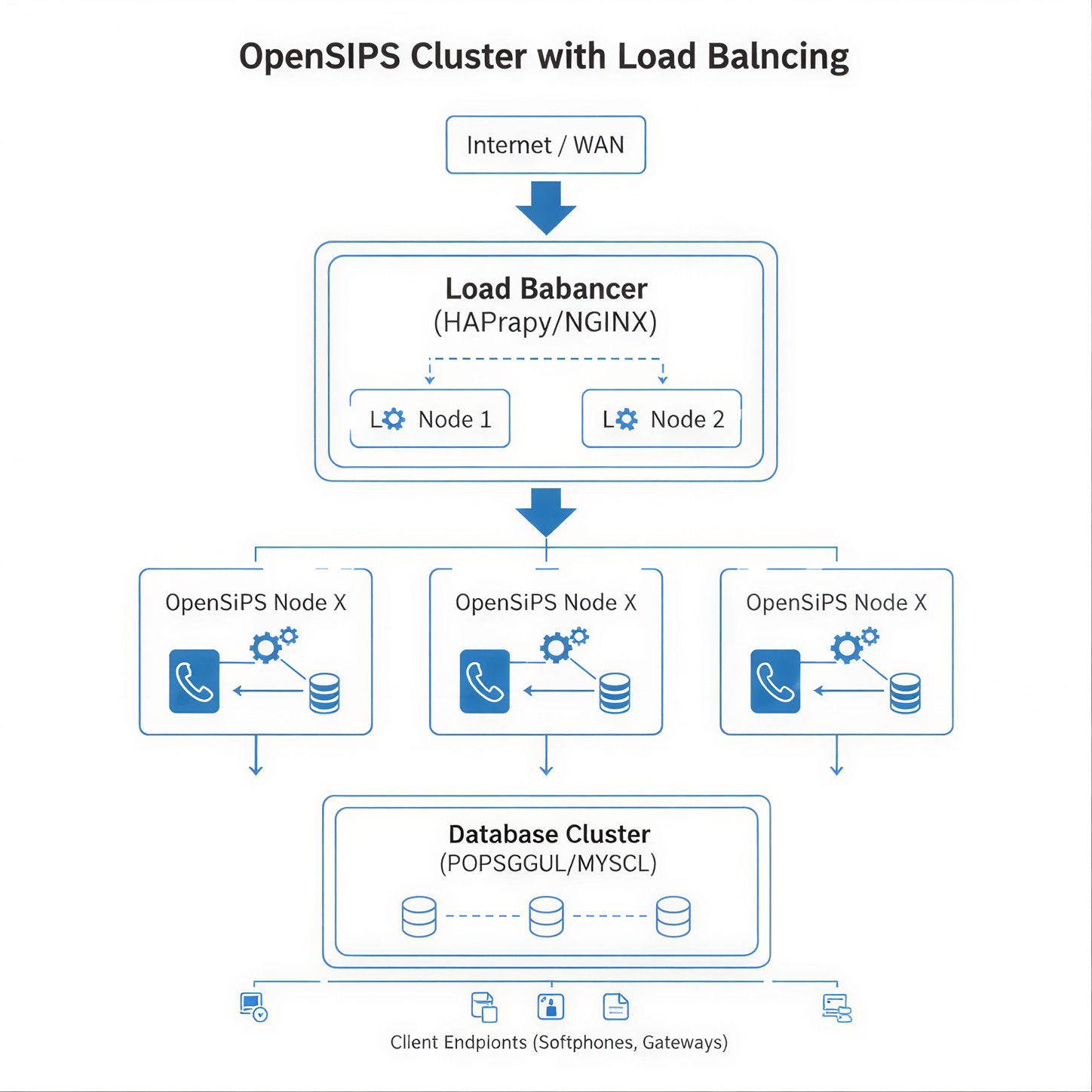
4. High-Availability & Load Balancing
4.1 Shared Cache Architecture
Using Redis as a shared cache ensures all OpenSIPS nodes can read/write subscriber state:
modparam("cachedb_redis", "redis_url", "redis://IP:6379/1")
This ensures consistent read performance and faster authentication.
4.2 Health Checks & Failover
Implement health checks using:
- SIP OPTIONS probing
- External load balancers (LVS / DNS round robin)
This prevents traffic routing to unhealthy nodes.
5. Example OpenSIPS 3.6 Script Snippets
5.1 Registration and Authentication
					route[REGISTRAR] {
    if (!save("location")) {
        sl_reply_error();
    }
    exit;
}

route[AUTHENTICATE] {
    if (!www_authorize("")) {
        www_challenge("", "0");
        exit;
    }
    if (!check_auth()) {
        sl_send_reply("403", "Forbidden");
        exit;
    }
}
5.2 Load Balancing Outbound Calls
					route[LB_OUT] {
    $var(target) = lb_choose();
    if ($var(target) == "") {
        sl_send_reply("404", "No available target");
        exit;
    }
    route(RELAY);
}
Load balancing selection is critical for distributing calls among SIP gateways.
6. Testing & Validation
6.1 SIPp Load Testing
Use SIPp to simulate load:
sipp -sn uac -r 150 -m 10000 10.0.0.10:5060
- -r = call rate per second
- -m = max calls
6.2 Monitoring and Metric Exporting
Export metrics to Prometheus and visualize via Grafana:
- Calls/sec
- CPU utilization
- SIP errors
Conclusion
Scaling OpenSIPS 3.6 to 10,000 concurrent calls is not a theoretical exercise – it requires a layered strategy that addresses:
- Network & OS performance
- Proper SIP routing configuration
- Efficient horizontal scaling
- Reliable shared state infrastructure
Apply the configuration snippets provided, progressively test in a staged environment, and monitor performance metrics to validate capacity targets.
For full API details and module syntax, reference the official OpenSIPS 3.6 manual.